Cisco ISE - Registration Authority Response Invalid
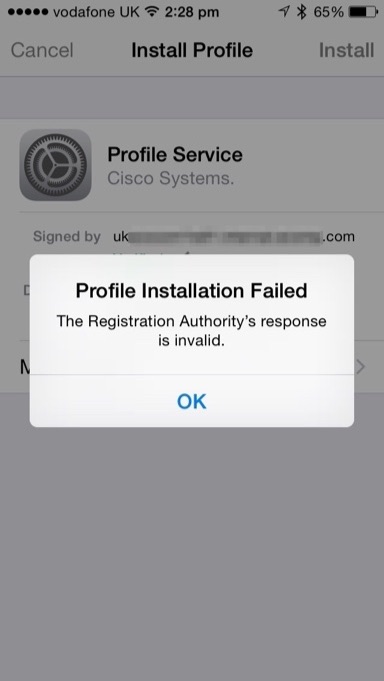
This is a good one where Android devices will provision but Apple iOS will not.... and it only happens with Publicly Signed Certificates (installed on the ISE PSN).
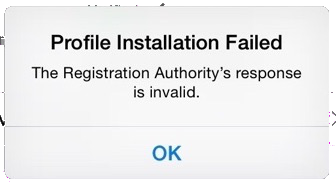
As per the screenshot, the iPhone profile installation fails with the error
Profile Installation FailedandThe Registration Authority's response is ...That old Cisco IPSEC VPN Client hangs on Windows 7 64bit

Most people have migrated to AnyConnect or abandoned Cisco altogether in disgust that Remote Access VPN is chargeable but there are a few installations out there who hang onto their beloved old yellow client before they send it to the farm in the sky.
I recently came across one of ...
Cisco NTP Authentication to Linux Server
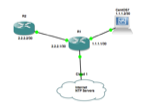
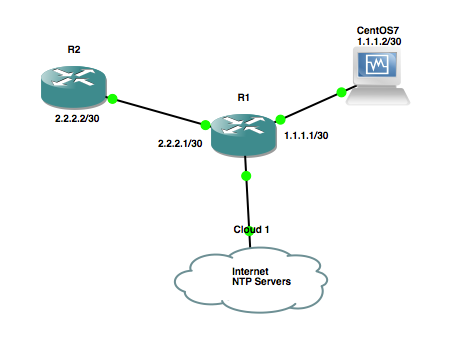
NTP Authentication is a recommended best security practice; there are a lot of documents out there on how to setup NTP authentication between two Cisco IOS devices but anything between Cisco and LINUX is few and far between.
I have setup a LINUX Server (Redhat/CentOS) box, that will act ...
RPM SPECS for Python CiscoConfParse
Recently I have been using ciscoconfparse to loop through Cisco configs, installing on my local laptop is straightforward with
piphowever getting it onto a customers linux jump server can be a bit more tricky (proxies, build deps and the like).For Redhat/Centos (6) boxes I found an out ...
OSX Automator and Python - for mac address conversion
Recently I wrote a python script for converting mac addresses (which you can download from github) and the reason I wrote it is because I receive emails like this...
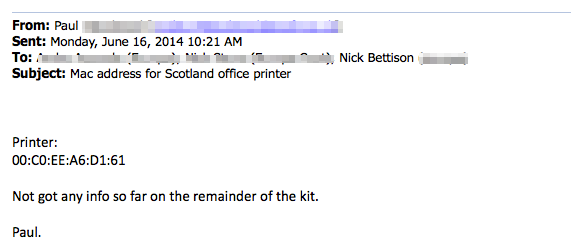
The background is, I'm working on an 802.1x project, I need to find the printer, the quickest solution in ...
Automating Cisco commands with C.R.A.SSH
This is my first python project; the goal was simple replace manual labour with ones and zeros... in this case write a tool which can run multiple commands on multiple switches/routers.
I've called the tool Cisco Remote Automation via SSH, or C.R.A.SSH ...
Cisco ISE is a Web Server!
When deploying BYOD instructions and error messages to end users are key to user satisfaction. The the overhead and additional complexity of a dedicated web server might not be appropriate for your team/security/design.
If you happen to be running Cisco's ISE as your authentication server then you ...
Cisco ASA SYSLOG config for Tufin SecureTrack
I'm sure there's a very good reason that the Tufin Secure Track User Guide (R14-1) has 8 pages of screenshots instead of including these 10 lines of config; I just don't yet know what the reason is :)
logging enable
logging timestamp
logging facility 23
logging message 111008 ...
Cisco ASA - inc - regex examples
I use stuff like
show run | inc abcall the time but I've never really dabbled with plumbing regex through it, I played a little today. Here's a couple of examples you might find useful:Look for either https or www in an access-list
FW01/pri/act# show ...