
It's been over a year since I've had a chance to make some real improvements to this project; there was one minor feature update back in Sept for Open Canary support, but since then most releases have been maintenance releases to keep the container fresh.
But all that changed at the end of May!
The Version 0.1.x series
This major update was all about tacking some user experience issues that I simply didn't have time to tackle during my MSc, I think these updates start to make Home Detector a whole lot more usable.
Alert Management
The alerts page now has the buttons you would expect; alerts are unread by default they can be toggle between read/unread, there is a button to delete them as well!
This is a small and simple change that make the management interface a console rather than a report
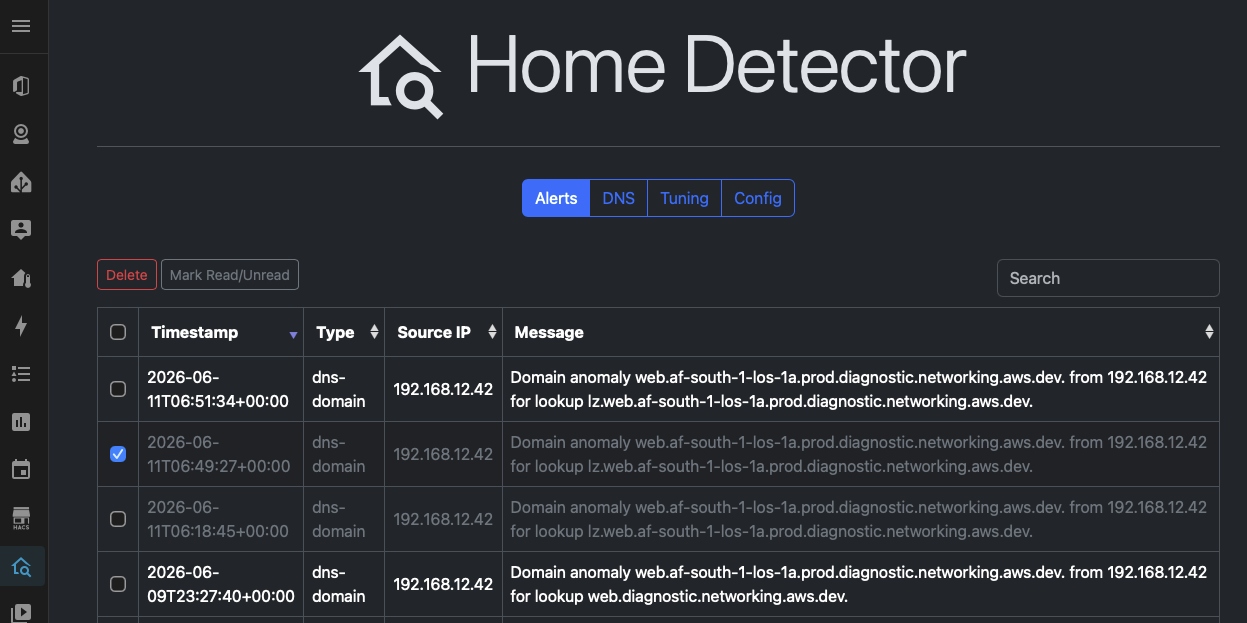
Alerts are now greyed out when marked as read and can now be deleted if you check the box next to it -- multi-select delete should also work.
Block or Alert, Both or Neither
For both domains and queries the logic for Alerting and Blocking has now been separated.
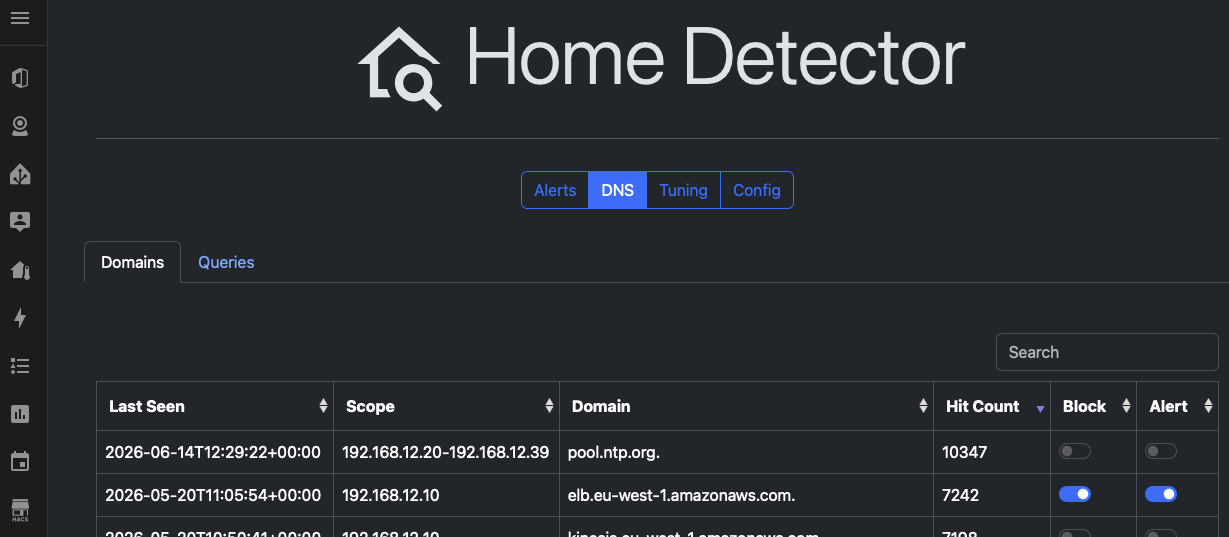
Previously this was a little confusing as "block" only meant block is the firewall mode was enabled globally, now a more granular approach can be taken, allowing for 2x new situations, and an additional GUI which can be found under Tuning:
Ignored DNS Blocks
For situations where you have decided to block something, but you don't want to be alerted every time it is called, you can set a domain/query is a toggle of block=on and alert=off, when your DB has circa 300 rows it can be hard to find these, thus this page surfaces them for you so you can change your mind.
Alerting DNS Pass
For situations where blocking breaks something important, but you still wish to know when it is called -- perhaps troubleshooting something. Similar to the above, this allows you to surface these when your DB starts to grow above a few pages.
The Default Behaviour
When a new domain/query is detect, the existing behaviour of "Block and Alert" is maintained, as before no actual blocking happens unless DNS Firewalling is enabled
Plans for 0.2.x
I'll let the dust settle, I run this on my home IoT so have some real world experience, but do have some ideas on what is next:
-
Firewall Mode by default -- I'd like to actively start blocking this, I honestly don't today, I review the alerts and generally dismiss them, most of my noise comes from Alexa, I think it's time to start messing with it!
-
Friendly names for copes -- Under tuning, it's possible to give scopes names, currently this info isn't surfaced in the UX, this would make triage easier, i.e. block and ignore is fine for Alexa, but not for my Central Heating!