php basic twitter oauth example

Oauth it seems tricky, to help me understand I’ve attempted to code up an example which allows users to log into a php app with their twitter credentials.

The code has been pushed to a branch of my abandonware repo as I don’t plan to make on any future changes, checkout README.md for some info on how the code works.

https://github.com/linickx/a/tree/oauth

I found it quite difficult to find some simple code to do this, so hopefully ^that^ will help someone else :)

is_blog

Since moving to a static front page I’ve noticed google is indexing /blog rather than individual posts…. this little addition to my header.php should fix it!

<?php
/*
                DO NOT INDEX /blog
        */

        if ( (!is_front_page()) && (!is_page()) && (!is_single()) && (!is_archive()) ) {
                echo '<meta name="robots" content="noindex">' . "\n";
        }
?>

You may notice that WordPress doesn’t appear to be an is_blog function which would do the same thing.
root-cookie 1.6, two years in the making?

No taking two years to release an update is not good, but in my defence root-cookie is so simple that there are very few issues and complaints ;)

Actually a two year wait isn’t strictly true, those watching the dev log would have seen I’ve pushed the odd update here and there.

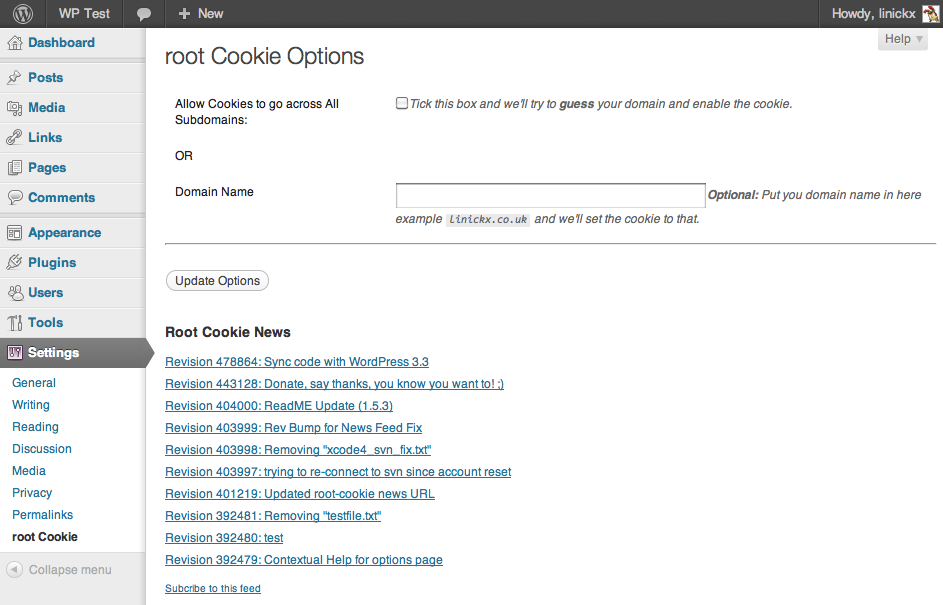
So what prompts this release, well I’ve noticed that in WP3.3 that the cookie functions have changed, so to ensure future compatibility (and minimal issues for me) I have updated this plugin to be aligned to the core source.

The usual blurb…

ChangeLog

  • Contextual Help
  • Bug fix “undefined method WP_Error::get_items”
  • Logout Enhancement
  • WP 3.3 Compatability
  • Donation Link (it’s good for your karma)

PHP to solve problems

PHP make you think of web app’s right? … well, did you know you can run it from the CLI to?

Recently I’ve been doing a lot of spreadsheet and sub-netting type stuff, whilst doing this mundane work I’ve realised that I can get scripts to work for me. I’ve started to post a few PHP network functions to github which I’ve been using.

Here’s an example: I have a nokia firewall, the routing table in voyager is shown in the following format -

Network / CIDR Mask , Gateway
10.0.0.0 / 8 , 10.0.0.1

I need that same routing in a Cisco ASA format -

Network , Mask , Gateway
10.0.0.0, 255.0.0.0, 10.0.0.1

Now this is not a problem for a few routes but the firewall I’m looking at now has 177 static routes, which I don’t want to convert manually.

Roll in PHP!
Save the original routing table as a .csv file. ColA = ip/mask , ColB = gateway.

Save this a route_conv.php

<?php

	/**

		Change the below to your CSV File.

	**/

	$firewall_csv = "./routes_cdr.csv"; 

	/**

		Function to convert CIDRs such as "23" to decimall dotted like "255.255.254.0"
		I've got more of these: https://gist.github.com/1309388

	**/

	function cidr2mask($netmask) {

		$netmask_result="";
		for($i=1; $i <= $netmask; $i++) {
		  $netmask_result .= "1";
		}

		for($i=$netmask+1; $i <= 32; $i++) {
		    $netmask_result .= "0";
		}

		$netmask_ip_binary_array = str_split( $netmask_result, 8 );

		$netmask_ip_decimal_array = array();
		foreach( $netmask_ip_binary_array as $k => $v ){
		    $netmask_ip_decimal_array[$k] = bindec( $v ); // "100" => 4
		}

		$subnet = join( ".", $netmask_ip_decimal_array );

		return $subnet;

	}

	ini_set('auto_detect_line_endings', true); // detect CR

	if (file_exists($firewall_csv)) {

		$file = fopen($firewall_csv, 'r');

		$counter = 0; // array counter

		while (($data = fgetcsv($file)) !== FALSE) {

			list($ip, $netmask) = split( "/", $data[0] ); // SPLIT Col A into IP & Mask

			$netmask = cidr2mask($netmask); // Covert Mask

			$gateway = $data[1]; // Col B

			/**
				This echo is the CSV style output, but you could change this to echo "route add $ip $mask $ gateway \n" for unix style output.
			**/

			echo $ip . "," . $netmask . "," . $gateway . "\n";

		}

		fclose($file);

	} else {

		echo "404: $firewall_csv \n"; // FILE NOT FOUND.

	}
?>

from your CLI run “php route_conv.php” and enjoy the output!

LINICKX LifeStream Version 0.3

linickx lifestreaam version 0.03 logo
It’s been a very long time since I’ve needed to look at this plugin but since linickx.com has moved to twentyeleven I wanted to take advantage of post formats; this has motivated me to make some minor updates.

New Fetures

  • Post Format Support
    Feeds can be assigned post formats, Standard is the default format if you theme doesn’t support this, twentlyelevn does and I think the link format works quite well.
  • Fail without Bail
    A bug I’d just lived with was if the feed was corrupt then the plugin would simply crash and burn, sometimes a factory reset was required to recover. Now the plugin will detect the error, dump the message and carry on… much better!
  • Admin Page Updates
    I’ve been slowly adding context help to my plugins, you know the little help in the top right hand corner, so help is now even closer. The news feed at the bottom will now take advantage of the fail-without-bail feature for when linickx.com is down. The final change here is a dontate feature, there is a tick box to remove this ;)

All the old features still exist and the same old information applies…

Enjoy!

phpbb_recent_topics version 0.7

PHPbb Recent Topics LogoA little later than planned but the annual release of phpbb_recent_topics is finally here!

I actually started on this release a couple of months ago but couldn’t find the time to write this post and tag the release :-$ The good news is that there have been lots of changes since 0.6, basically I’ve implemented as many bug fixes and feature as I can in the WordPress-Plugin bug tracker.

If you have a feature request or patch, please submit here.

Support questions and requests for help should be directed at the forum.

Without further ado… What’s New?

  • WordPress 3.1.4 Testing
    Yep, with such a slow development cycle I can confirm that PRT works with WordPress version 3, but you knew that right ?
  • CSS Styleable output
    A common request, there is now a UL class called prt_ul and a LI class called prt_li which can be used to make you sidebar look pretty!
  • Plugin Options Modernisation
    I follow planet.wordpress so any tips, tricks and modern ways of doing things have been implemented i.e.
  • Resolved: Missing argument 1 for phpbb_topics()
    This was a stoooopid bug that has been in the code for ages, I finally found the time to squish it!
  • Code clean-up (Lots of changes)
    I’ve put a lot of effort in 0.7 to remove all the un-necessary code, the kind of stuff that get’s pasted in as a good idea but not needed, hopefully this has some positive impact in your site as well as my kama
  • Timezone/Off-Set fix (Reads +/- hours from WordPress Settings)
    This was perhaps the most requested feature, I figured out a neat way of doing it by reading the WordPress options.
  • Localisation of date/time fix (http://plugins.trac.wordpress.org/ticket/1173)
    I’m planning to complete localisation in 0.8, but this is a start right?
  • Callback functionality
    Do you want to do something cool with PRT? Check out phpbb_topics_callback in the readme!
  • Contextual Help in the admin dashboard
    In the past, this blog post has contained the instructions for getting going, I’ve now put everything either in the readme or actually in the wordpress help, keep a weather eye out for the “help” in the top right hand corner of the WordPress dashboard.

Where do I get it?
Download phpbb_recent_topics version 0.7 from WordPress.org

I hope you enjoy this release!

Footnote: Version 0.7.1 has been pushed out which fixes the date display issue reported below!

WordPress Custom Query for Custom Post Types and Taxonomy

I wanted to run a custom query against WP3.0 custom post types but all the documentation and google I found all pointed to posts in categories which doesn’t work if your post type isn’t post, this was my solution….

$my_query = $wp_query-&gt;query; // Copy the existing query into a new one
$my_query['posts_per_page'] = "30"; // change the number we want displayed.
$my_query['orderby'] = "title"; // Sort by title.
$my_query['order'] = "ASC"; // 'A' first!
query_posts($my_query);  // Run our query.... normal service resumes.

Hopefully this post will give someone the light bulb moment they’re after.

Xcode for WordPress Plug-in Developers

This post is an extension to this excellent article except with a subtle difference, I’m not interested in hacking the WP core, I’m writing a plug-in :)

I’m going to assume that you’ve requested access to WordPress.org’s SVN repository, and you’ve found the admin panel and want to get your Xcode goodness hooked up to the WP SVN.

To get started create a new Empty Xcode project.

Screenshot of Xcode project chooser Empty XCode waiting for LINICKX LifeStream
Xcode project chooser Empty Project

From the menu bar select SCM then Configure Repositories, the window select the + to add a new repo, the username & password pair are your wordpress.org credentials, you can find the URL to your SVN repo on the wordpress.org site.

WordPress dot org Admin Interface
The WP.org admin interface

Next from the menu bar select SCM then Repositories, highlight the repo you’ve just created and choose checkout; you’re going to be asked for a folder to “save” the contents of the repo to, I chose inside my Xcode project folder.

Checking out with Xcode
Repo’ Config Code Checkout

You now need to add those “checked out” files to you project, in the tree on the left, right/control click the blue project icon at the top and select add existing files, accept the defaults and the repo should be imported.

Code imported
Imported Code

These files now in the project need to be associated with the repo, this is done by highlighting the blue project icon and clicking the “Info” button, then click “Configure Roots & SCM”; click the + button and choose your repo folder (again)… the dropdown on the right should automatically select the correct SCM.

Project LINICKX LifeStream Info WP Xcode Edit Project Root
Project Properties Project Roots

If you now change a file / add / delete / etc it will appear under the SCM tree, you can right/control click and commit to the repo…. job done :)

WP Xcode readme txt changed
Yay it works!

Very quickly you’re going to find out that you want to test your changes prior to commiting them, to do this you may want to copy your files upto a webserver…. I get Xcode to do that for me, using macfuse to mount my webroot via ssh but for this example I’ll create a directory on the desktop … you also need to create any subdirectories you may need.. I have to create “admin”.

To copy the files we’re use an Xcode target, from the menu bar choose Project then New Target then Copy Files Target, I called my new target CopyFile. Using the info button change the absolute path of the copy – e.g. /Users/Nick/Desktop/LL … now here I ran into a problem (suggestions welcome)… next I created extra copy build phases for each subdirectory. Control/right click your Target ( i.e CopyFiles) then choose Add, New Build Phase, New Copy Files Build Phase… I then set the absolute path of this “sub target” to /Users/nick/Desktop/LL/admin/ to represent my admin subdirectory.

Finally DRAG down the files into their correct target, all being well and a fair wind clicking “BUILD” will cause your files to be copied into your directory. You can now make changes, click build to test, and then commit them to subversion when you’re happy :)

WP Xcode - Finished
Finished!

The red sweater post that inspires this now talks about creating a RUN shortcut to automatically open a web browser for testing, however mine didn’t work… I got this error “The program being debugged is not being run“… suggestions to fix welcome!

phpbb_recent_topics version 0.6

UPDATE: This Plugin has been updated, the below links to the new file, but please comment on the new post, thanks.

Screenshot phpbb_recent_topics admin page

Screenshot phpbb_recent_topics admin page

Admin GUI

It’s that time again, enough things have happened in the support forum to warrant another version.

phpbb_recent_topics 0.6 owes a debt of gratitude to number3nl he has worked very hard to push in two main new features and his work was so good it only needed a couple of minor tweaks from myself.

New Features!

  • The loooong awaited phpBB recent posts feature has been enabled, simply tick the box that says “Sort results by post date” and you’re away!
  • Tooltips are here! Yup if you’re into that kind of thing enabling tool tips will show a snippet of the post content to your visitors prior to them clicking on any links.
  • Admin UI Error Messages are here; the GUI will now inform you if you’re connected to phpBB.

Bug Fixes.

  • The variables in display.php now match those of admin-display.php; hopefully this will make community contribution simpler.
  • Uninstall.php has been added so removal of the plugin is more comprehensive.

A note to upgrader’s.

  • If you’re using secure database connectivity you’ll need to GRANT access to the posts table….
    GRANT SELECT ON phpbb_database.phpbb_posts TO wp_user@localhost;

Download phpBB_Recent_Topics_0.6 from wordpress.org

The usual stuff now follows….


The Installation

Before starting you need to get your database configuration sorted. So, are you going to connect to the PHPBB Database securely or Insecurely?

To connect Securely you need to GRANT access TO WordPress FROM phpbb.

How to GRANT wordpress read only access to phpBB ?
If you don’t know it already you need to find your wordpress mysql user id, it’ll be in wp-config.php

define('DB_USER', 'wp_user');     // Your MySQL username

and you should have already found your phpbb database & table for the above.
You need to type the following syntax into your mysql database

GRANT SELECT ON phpbb_database.phpbb_topics TO wp_user@localhost;

AND

GRANT SELECT ON phpbb_database.phpbb_forums TO wp_user@localhost;

AND

GRANT SELECT ON phpbb_database.phpbb_posts TO wp_user@localhost;

this can be achieved by logging into phpmyadmin as your phpbb user, selecting SQL and pasting the correct GRANT into the text box.

WordPress Installation

  • Unzip phpbb_recent_topics.tgz in your `/wp-content/plugins/` directory. (You’ll have a new directory, with this plugin in /wp-content/plugins/phpbb_recent_topics)
  • Activate the plugin through the ‘Plugins’ menu in WordPress
  • Configure the plugin, you need to tell wordpress about phpbb, this is done in the wordpress menu ‘Settings’ -> ‘phpBB Recent Topics’
    The following Settings are required:

    • * The name of your phpBB database (e.g phpbb)
    • * The name of the table where topics are held (the default is phpbb_topics )
    • * The full url of your forum for links (e.g. http://www.mydomain.com/forum)
    • * The number of topics to show. (If left blank you get 5)
    • * The Date Formatting, i.e. “d/M/y – g:i a” similar to the WordPress “General Settings”
  • The use of Insecure connectivity is optional – See Below
  • Tick the boxes of any Forums you don’t want this plugin to show posts from
  • Hit ‘Update Options”
  • To output the list of topics in a page or post…
    • * create a new page/post, type {phpbb_recent_topics} , hit ‘Publish’ or ‘Create new page’

    To output the list of topics in your theme sidebar using the widget…

    • * click “design” in the dashboard
    • * click “widgets”
    • * next to phpBB Recent Topics click “add”
    • * click “save changes”

    To output the list of topics in your theme sidebar using a template tag…

    • * edit sidebar.php and inside <div id=”sidebar”> type…
      <?php
      if (function_exists('phpbb_topics')) {
      phpbb_topics();
      }
      ?>

What is Insecure MySQL Connectivity & How do I use it?
If you need to you can connect in a less secure manner, the connection details held in your PHPBB config.php can be loaded into WordPress. This is insecure becuase the phpbb3 credentials are store in clear text, this is bad cuase if someone somehow comprised WordPress they’d have full access to PHPBB.

To use, tick the “Enable Insecure Database Connection” box, and submit, when the page re-freshes you’ll have some more boxes to populate, from your phpbb config.php fill in


$dbuser = phpbb MySQL Database UserName
$dbpasswd = phpbb MySQL Database Password
$dbhost = phpbb MySQL Server

Click update, and you should be connected!

Support
I’ve always been honest about support, there isn’t any. Basically I write this for my own needs and then publish it for you to use for free. You’re more than welcome to post comments here and if you need support the community phpbb-recent-topics forum is available, I do read every post there but we all have busy lives and I make no promises on how quickly I’ll reply to you.

Finally Subversion
The source for this plugin is in the wordpress subversion, you can checkout the trunk directly from here, if you weren’t aware wp.org also auto-magically creates a nightly build of any developments here.

I hope you enjoy my plug-in!

LINICKX LifeStream V0.2

Screen-shot of config screen

Screen-shot of config screen

UPDATE: This Plugin has been updated, the below links to the new file, but please comment on the new post, thanks.

Version 0.2 is the first feature update to my LINICKX Lifestream plug-in. This version incorporates all the minor bug fixes from version 0.1 -> 0.1.3 and includes what I call my “Troubleshooting Feature Pack”.

Version 0.1.x was plagued by a hidden multi-post issue, so not only is this fixed in V0.2, but I’ve included the tools used by myself to fix the issue. If you’ve been effected by this, use the factory reset option to clear out the lifestream plug-in, the next time it runs new posts will be created of all your feeds… so yes you will get double posts… but that will then be the last time it happens! :)

Plug-in Features:

  • Admin Feature Pack (NEW)
    Verbose Cron Mode, now you can see what the plug-in is doing!
    View the contents of the Lifestream Feed DB
    View the URLS, Tags & Categories stored in the plugin
    Factory Reset, remove all the settings without having to uninstall -> re-install
  • Stream Any Feed.
    Most internet services like digg, twitter, lastfm and the like support RSS feeds of your activity, so you can stream any service even if I haven’t heard about it yet!
  • Posts are created from the feeds/stream.
    Each Feed item creates a new post, you can tag & categorise your posts to give each stream a different look & feel in your WordPress templates.
  • No dependencies.
    LINICKX LifeStream uses WordPress functions to do it’s work, so yes it’ll work on PHP4 & PHP5 and you don’t need to update simplepie or an-other dependancy.
  • Flexible updating.
    By default LINICKX LifeStream should just work, WordPress will fetch the feeds every 5 minutes and store them in the WP Database, but you can change that. If you want to cron your updates every 1 minute you can, if you want the DB store in a file not in MySQL that’s not a problem either.

Bug Fixes

  • Version 0.2 Multi-Post issue – http://wordpress.org/support/topic/330243
  • Pushed Version 0.1.3 more bug fixes; 0.1.2 broke auto updates, so 0.1.3 fixes it again!
    linickx.com was having execution timeout issues, so theres a patch to fix that for other users
    I’ve also introduced a config.php so that upgrades do not overwrite $WPDIR set by users.
  • Pushed version 0.1.2 to fix error in dashboard reported by Markus .
  • Pushed version 0.1.1 as the directory path changed when wordpress.org created their .zip file… all should be working again.

Right now on LINICKX.com this plugin is streaming Digg, Google Reader and WordPress Commits… keep an eye for new things streamed such as delicious & last fm :cool:

I’m still looking for help.
If you think you can javascript/ajax the admin interface, or my plug-in WordPress MU compatible, please let me know.

Disclaimer
Plug-in development is a hobby, I have a full time job that takes priority. Feel free to leave comments on this post but ask support questions to the WordPress community. I will update this plugin as and when I need features to improve linickx.com and will consider any patches submitted including any good ideas you have.

If you use this plug-in, please consider donating as I give this code away for free and giving something back is good for your kama :cool:

Introducing LINICKX LifeStream V0.1

UPDATE: This Plugin has been updated, the below links to the new file, but please comment on the new post, thanks.

I’m proud to share with the WordPress community my new plugin, LINICKX LifeStream :)

I’ve been trying to get more LifeStreaming into LINICKX.com for a while, as I’ve struggled to find an appropriate solution I’ve decided to write my own.

Plug-in Features:

  • Stream Any Feed.
    Most internet services like digg, twitter, lastfm and the like support RSS feeds of your activity, so you can stream any service even if I haven’t heard about it yet!
  • Posts are created from the feeds/stream.
    Each Feed item creates a new post, you can tag & categorise your posts to give each stream a different look & feel in your WordPress templates.
  • No dependencies.
    LINICKX LifeStream uses WordPress functions to do it’s work, so yes it’ll work on PHP4 & PHP5 and you don’t need to update simplepie or an-other dependancy.
  • Flexible updating.
    By default LINICKX LifeStream should just work, WordPress will fetch the feeds every 5 minutes and store them in the WP Database, but you can change that. If you want to cron your updates every 1 minute you can, if you want the DB store in a file not in MySQL that’s not a problem either.

LINICKX Lifestream is currently feeding both my Digg & Google Reader posts; in general I’m pretty poor at updating my plug-ins as this is a hobby, but since this project is part of my website and not a favour for a friend (like the others) I’m hoping to do a better job.

I’m looking for help too!
The admin interface is a bit “clunky”, the reason being I don’t know javascript, if you do please consider writing a patch :)
I also think this plugin would work well for WordPresMU users, but I don’t use it so if you do what changes need to be made to make this work for you?

You can download the source from here: http://plugins.svn.wordpress.org/linickx-lifestream/ or Browse Trac

Disclaimer
As with my other plug-ins this is a hobby, I have a full time job that takes priority. Feel free to leave comments here but ask support questions to the WordPress community. I will update this plugin as and when I need features to improve linickx.com but will consider any patches submitted and any good ideas you have.

If this plugin has been some use to you, please consider donating as I give this code away for free and giving something back will make you feel good :cool:

UPDATE(s):

  • Pushed version 0.1.1 as the directory path changed when wordpress.org created their .zip file… all should be working again.
  • Pushed version 0.1.2 to fix error in dashboard reported by Markus below.
  • Pushed Version 0.1.3 more bug fixes; 0.1.2 broke auto updates, so 0.1.3 fixes it again!
    linickx.com was having execution timeout issues, so theres a patch to fix that for other users
    I’ve also introduced a config.php so that upgrades do not overwrite $WPDIR set by users.

phpbb_recent_topics version 0.5

UPDATE: This Plugin has been updated, please download the update from http://wordpress.org/extend/plugins/phpbb-recent-topics/, and please comment on the new post, thanks.

Screenshot phpbb_recent_topics admin page

Screenshot phpbb_recent_topics admin page

Admin GUI

Version 0.5 is the first enhancement update to php_recent_topics for a looooooonnnng while!

Actually it’s taken me soo long to finish that we’ve jumping straight into 0.5.2 0.5.3 which includes bug fixes from 0.4.1 & 0.4.2

There are four notable changes, two minor, two major :D

Minor CHANGE 1: You should notice the admin page don’t look so rubbish, we’re now using the new CSS provided by the WordPress team!

Minor CHANGE 2: The SQL syntax now excludes SPAM from being shown up in the wigdet by only selecting “Approved” posts, thanks Ashish.

Major CHANGE 1: The admin page now has the option for excluding forums from being displayed by the widget, this was one of the most requested features but please be advised this change means there are New database permissions required for upgraders!
Before you did GRANT SELECT ON phpbb_database.phpbb_topics TO wp_user@localhost; NOW DO THIS TOO….

GRANT SELECT ON phpbb_database.phpbb_forums TO wp_user@localhost;

Major CHANGE 2: The plugin now supports “Insecure” Database connectivity, getting the plugin to talk to the PHPBB DB seemed to be the biggest hurdle for most, so I’ve added a simpler way to keep my SPAM down. This approach is not recommended as the plug-in stores your PHPBB DB credentials IN CLEAR TEXT in the WordPress database. As a side effect from this is, now users can connect to a PHPBB database installed on a different server to WordPress – This suggestion actually came from someone called Nedim.. Thanks!

Some of the usual information now follows….

Download phpBB_Recent_Topics_0.5.2 from wordpress.org

The Installation

Before starting you need to get your database configuration sorted. So, are you going to connect to the PHPBB Database securely or Insecurely?

To connect Securely you need to GRANT access TO WordPress FROM phpbb.

How to GRANT wordpress read only access to phpBB ?
If you don’t know it already you need to find your wordpress mysql user id, it’ll be in wp-config.php

define('DB_USER', 'wp_user');     // Your MySQL username

and you should have already found your phpbb database & table for the above.
You need to type the following syntax into your mysql database

GRANT SELECT ON phpbb_database.phpbb_topics TO wp_user@localhost;

AND

GRANT SELECT ON phpbb_database.phpbb_forums TO wp_user@localhost;

this can be achieved by logging into phpmyadmin as your phpbb user, selecting SQL and pasting the correct GRANT into the text box.

WordPress Installation

  • Unzip phpbb_recent_topics.tgz in your `/wp-content/plugins/` directory. (You’ll have a new directory, with this plugin in /wp-content/plugins/phpbb_recent_topics)
  • Activate the plugin through the ‘Plugins’ menu in WordPress
  • Configure the plugin, you need to tell wordpress about phpbb, this is done in the wordpress menu ‘Settings’ -> ‘phpBB Recent Topics’
    The following Settings are required:

    • * The name of your phpBB database (e.g phpbb)
    • * The name of the table where topics are held (the default is phpbb_topics )
    • * The full url of your forum for links (e.g. http://www.mydomain.com/forum)
    • * The number of topics to show. (If left blank you get 5)
    • * The Date Formatting, i.e. “d/M/y – g:i a” similar to the WordPress “General Settings”
  • The use of Insecure connectivity is optional – See Below
  • Tick the boxes of any Forums you don’t want this plugin to show posts from
  • Hit ‘Update Options”
  • To output the list of topics in a page or post…
    • * create a new page/post, type {phpbb_recent_topics} , hit ‘Publish’ or ‘Create new page’

    To output the list of topics in your theme sidebar using the widget…

    • * click “design” in the dashboard
    • * click “widgets”
    • * next to phpBB Recent Topics click “add”
    • * click “save changes”

    To output the list of topics in your theme sidebar using a template tag…

    • * edit sidebar.php and inside <div id=”sidebar”> type…
      <?php
      if (function_exists('phpbb_topics')) {
      phpbb_topics();
      }
      ?>

What is Insecure MySQL Connectivity & How do I use it?
If you need to you can connect in a less secure manner, the connection details held in your PHPBB config.php can be loaded into WordPress. This is insecure becuase the phpbb3 credentials are store in clear text, this is bad cuase if someone somehow comprised WordPress they’d have full access to PHPBB.

To use, tick the “Enable Insecure Database Connection” box, and submit, when the page re-freshes you’ll have some more boxes to populate, from your phpbb config.php fill in


$dbuser = phpbb MySQL Database UserName
$dbpasswd = phpbb MySQL Database Password
$dbhost = phpbb MySQL Server

Click update, and you should be connected!

Support
I’ve always been honest about support, there isn’t any. Basically I write this for my own needs and then publish it for you to use for free. You’re more than welcome to post comments here and if you tag wordpress forum posts with “phpbb-recent-topics” I’ll reply to you there, but we all have busy lives and I make no promises on how quickly I’ll reply to you.

Link for posting in the correct phpbb-recent-topics forum

Finally Subversion
The source for this plugin is in the wordpress subversion, you can download it directly from here; and when wordpress.org re-crawls my readme the latest version will also be available on wordpress.org/extend/plugins/

I hope you enjoy my plug-in!

Follow plug-in development progress

The WordPress plugin trac is a really cool resource, one of my favourite features is the commit log.

Development progress of linickx plugins is always going to be slow because I have a day job but when I find the time to develop updates I try to commit them to the community as often as I can so users can stay in the loop…. The thing is users don’t necessarily know the log is there, so here’s a couple of links for you…

If you want test drive my development versions on your blog you can download them from wordpress.org here and here respectively, feel free to submit patches to fix bugs or implement features, I’m always open to suggestions and work is always accredited appropriately.

Twitter Tools is for Twitter Tools

Those with a keen eye may have noticed that my tweets / status updates didn’t start with “is” until recently that’s because posts that appeared here on my blog would look stupid and out of context, who starts a post “is” ???

To solve the problem attached is a small plugin for Alex Kings Twitter Tools, it’s a simple WordPress filter which prepends posts which begin with “is” with the author name, example:

is testing his new WP plugin.

becomes

Nick is testing his new WP plugin.

If I get some positive feedback I might publish this in WP’s plugin directory.

Installation is easy, rename twitter-tools-is.txt to twitter-tools-is.php and save it in your wp-content/plugins directory, enable the plug-in the “normal” way and job done, no further configuration required!

phpbb_recent_topics fixed for 2.8.3

UPDATE: This Plugin has been updated, please download the update from http://wordpress.org/extend/plugins/phpbb-recent-topics/, and please comment on the new post, thanks.

This update fixes 0.4.x branch of my plugin, specifically the “You are not allowed to access this page” error that WordPress 2.8.1 introduced. No other changes have been implemented, the SVN Trunk (0.5.x) is still to be updated.

UPDATE: 0.5.x works in WP.2.8.3, also 4got to tag this post – DOH!

The usual paste follows….

phpBB Recent Topics Admin interface in WordPress
Admin GUI

Download phpBB_Recent_Topics_0.4.2 from wordpress.org

What’s New?

  • Plugin fixed for WP 2.8.3.

What’s Old?

  • The widget patch submitted by toni.
  • I have tested this plugin with phpBB3 .
  • I finally quashed the install bug where by phpbb-recent-topics was confused with phpbb_recent_topics.
  • Sidebar Widget, yus for all you non-php people you have a widget to play with.
  • Edit the Time & Date layout – leave blank to remove it completely

The Installation

  • Unzip phpbb_recent_topics.tgz in your `/wp-content/plugins/` directory. (You’ll have a new directory, with this plugin in /wp-content/plugins/phpbb_recent_topics)
  • Activate the plugin through the ‘Plugins’ menu in WordPress
  • Configure the plugin, you need to tell wordpress about phpbb, this is done in the wordpress menu ‘Settings’ -> ‘phpBB Recent Topics’
    The following Settings are required: 

    • * The name of your phpBB database (e.g phpbb)
    • * The name of the table where topics are held (the default is phpbb_topics )
    • * The full url of your forum for links (e.g. http://www.mydomain.com/forum)
    • * The number of topics to show. (If left blank you get 5)
    • * The Date Formatting, i.e. “d/M/y – g:i a” similar to the WordPress “General Settings”
  • Hit ‘Update Options”
  • To output the list of topics in a page or post…
    • * create a new page/post, type {phpbb_recent_topics} , hit ‘Publish’ or ‘Create new page’

    To output the list of topics in your theme sidebar using the widget…

    • * click “design” in the dashboard
    • * click “widgets”
    • * next to phpBB Recent Topics click “add”
    • * click “save changes”

    To output the list of topics in your theme sidebar using a template tag…

    • * edit sidebar.php and inside <div id=”sidebar”> type…
      <?php
      if (function_exists('phpbb_topics')) {
      phpbb_topics();
      }
      ?>

A bit about Database configuration.
If wordpress & phpBB share a DB already then set $PHPBBDB to DB_NAME and everything will be fine, else you’re going to need to GRANT the wordpress user read access to phpBB.

How to GRANT wordpress read only access to phpBB ?
If you don’t know it already you need to find your wordpress mysql user id, it’ll be in wp-config.php

define('DB_USER', 'wp_user');     // Your MySQL username

and you should have already found your phpbb database & table for the above.
You need to type the following syntax into your mysql database

GRANT SELECT ON phpbb_database.phpbb_topics TO wp_user@localhost;

this can be achieved by logging into phpmyadmin as your phpbb user, selecting SQL and pasting the correct GRANT into the text box.

Frequently Asked Questions

  • Is phpbb3 supported?
    • yes.
  • Can I output 10 Topics in my Page, and 3 Topics in my Sidebar ?
    • Yes ! In the WordPress menu ‘Options’ -> ‘phpBB Recent Topics’, set ‘The number of topics to show’ to 10, and then in your sidebar include…<?php
      if (function_exists(‘phpbb_topics’)) {
      phpbb_topics(3);
      }
      ?>
  • Can I exclude a certain forum from the list ?
    • In this version, the only way to do that is to hack /wp-content/plugins/phpbb_recent_topics/display/display.php, change
      $results = $wpdb->get_results("SELECT * FROM $TOPIC_TABLE ORDER BY topic_time DESC LIMIT $LIMIT");

      to

      $results = $wpdb->get_results("SELECT * FROM $TOPIC_TABLE WHERE forum_id != 1 ORDER BY topic_time DESC LIMIT $LIMIT");

      to exclude forum 1 from the list. I plan to setup a proper solution to this in the next version.

  • Why is the date config under settings not in the widget configuration?
    • The date settings effect both the template tag and the widget :)

Support
I’ve always been honest about support, there isn’t any. Basically I write this for my own needs and then publish it for you to use for free. You’re more than welcome to post comments here and if you tag wordpress forum posts with “phpbb-recent-topics” I’ll reply to you there, but we all have busy lives and I make no promises on how quickly I’ll reply to you.

Link for posting in the correct phpbb-recent-topics forum

Finally Subversion
You also might be interested to know that I’ve been getting to grips with the wordpress plug-ins svn, so you can get work directly from here; and when wordpress.org re-crawls my readme the latest version will also be available on wordpress.org/extend/plugins/ :cool: