k2 for bbPress – Updated v0.02

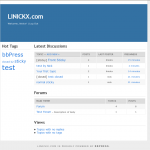
K2 in Action on bbPress

It’s been a while since I’ve used bbPress, but a major milestone from the automattic guys has pretty much broken the theme.

I’ve done a complete re-write; as before I’m only distributing the style.css (and a screenshot) no template.php files, this ensure that no security issues are associated with my theme.

Installation

  • Create a “my-templates” directory in your bbPress installation directory
  • Download unzip k2 for bbpress in that directory
  • Under “design” and “themes” select k2
  • done :)

The screenshot has been updated, existing users may find things move a little, this is due to the changes in bbPress, but hopfully it’s all for the better.

md5 of k2_for_bbPres_v0.02.zip: c87eb943165a5d909dced2860021107f

rgds,

Nick


7 thoughts on “k2 for bbPress – Updated v0.02

  1. Pingback: k2 for bbPress - [LINICKX].com

  2. Hi Alex, Yes there is.

    You’ll need to copy a template (.php) file from the default theme… as I’ve mentioned above this theme only includes the stylesheet. If you want the search box at the bottom of the page, try copying footer.php into your k2 directory and adding your search code into that. I’m afraid I don’t have any examples of code, so it’s probably best to post on the bbpress forum if you need help with that.

    Good Luck!
    Nick

  3. Hello Nick!

    Thank you so much! I followed your instructions, and everything is working perfectly – with a nice Search box now!!

    Cheers!

    Alex

Leave a Reply

Your email address will not be published. Required fields are marked *

*

You may use these HTML tags and attributes: <a href="" title=""> <abbr title=""> <acronym title=""> <b> <blockquote cite=""> <cite> <code> <del datetime=""> <em> <i> <q cite=""> <strike> <strong>